Compress Video109
Publisher Description
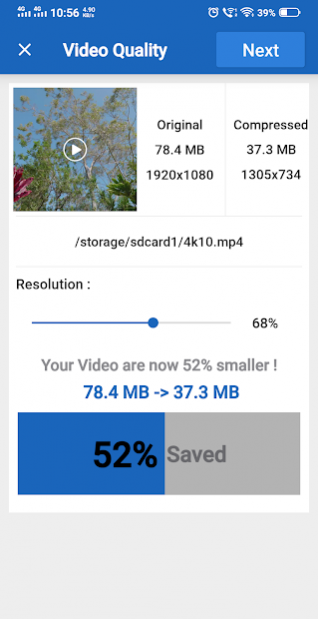
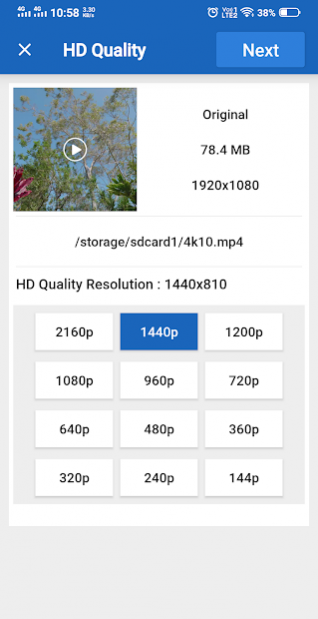
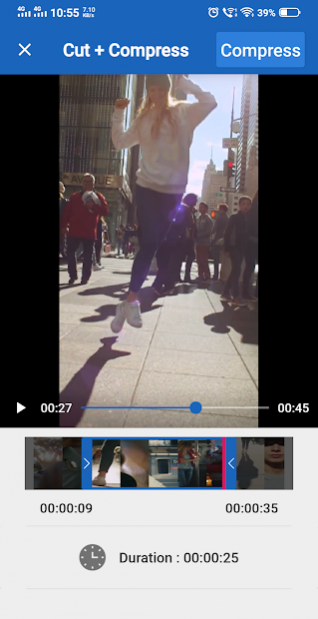
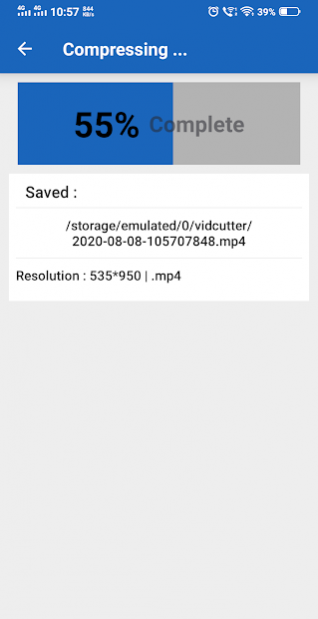
Resize & Compress Video app to video compressor and video resizer app to compress videos.
Reduce video size, shrink video, save your device's storage space.
Quickly compress video, convert to MP4, cut video, extract MP3 audio from video.
app for compressing, converting and trimming video files.
Advance Features:
- Reduce,Resize,Compress video file size.
- Video Cutter : Cut & Trim Video
- Cut and compress video
- HD Video Converter
- Free and Easy-to-use.
- Easy Compress Video Recommended dimensions: 426 x 240 (240p), 640 x 360 (360p), 854 x 480 (480p),
1280 x 720 (720p), 1920 x 1080 (1080p), 2560 x 1440 (1440p) and 3840 x 2160 (2160p).
About Compress Video
The company that develops Compress Video is Any VideoLab USA. The latest version released by its developer is 109.
To install Compress Video on your Android device, just click the green Continue To App button above to start the installation process. The app is listed on our website since 2022-02-02 and was downloaded 23 times. We have already checked if the download link is safe, however for your own protection we recommend that you scan the downloaded app with your antivirus. Your antivirus may detect the Compress Video as malware as malware if the download link to com.anyvideo.converter is broken.
How to install Compress Video on your Android device:
- Click on the Continue To App button on our website. This will redirect you to Google Play.
- Once the Compress Video is shown in the Google Play listing of your Android device, you can start its download and installation. Tap on the Install button located below the search bar and to the right of the app icon.
- A pop-up window with the permissions required by Compress Video will be shown. Click on Accept to continue the process.
- Compress Video will be downloaded onto your device, displaying a progress. Once the download completes, the installation will start and you'll get a notification after the installation is finished.
Program Details
System requirements
Download information
Pricing
Version History
version 109
posted on 2022-02-02
Compress Video size, shrink video, save your device's storage space.
Quickly compress video, convert to MP4, cut video, extract MP3 audio from video.
HD Video Converter
Video Recommended dimensions :240p,360p,480p,720p,1080p,1440p,2160p.
version 108
posted on 2020-10-15
Reduce video size, shrink video, save your device's storage space.
Quickly compress video, convert to MP4, cut video, extract MP3 audio from video.
app for compressing, converting and trimming video files.
Cut and compress video
HD Video Converter
Cut & Compress Video Recommended dimensions :240p,360p,480p,720p,1080p,1440p,2160p.
version 106
posted on 2020-05-31
Easy Video Cutter : Cut & Trim Video
